
Patient Portal
How To Register
How to Register for CareSpace
A direct invitation link is required to register for the CareSpace patient portal. This invitation is sent directly from the doctor’s office to the patient’s email address on file.
- Look for a registration invitation email from noreply@carespaceportal.com.
- Click the registration link in the email (check your spam folder if you don’t see it).
- Create a password and confirm your date of birth.
- Agree to the terms of service and click “Create Password”.

Troubleshooting
You must register within 4 days of the date your registration email was sent or the link will expire. If your link has expired, please contact your physician’s office or the user who granted you access to their portal. Do not forward the registration email to a different account; the registration link won’t work if forwarded.
Using Secure Messaging
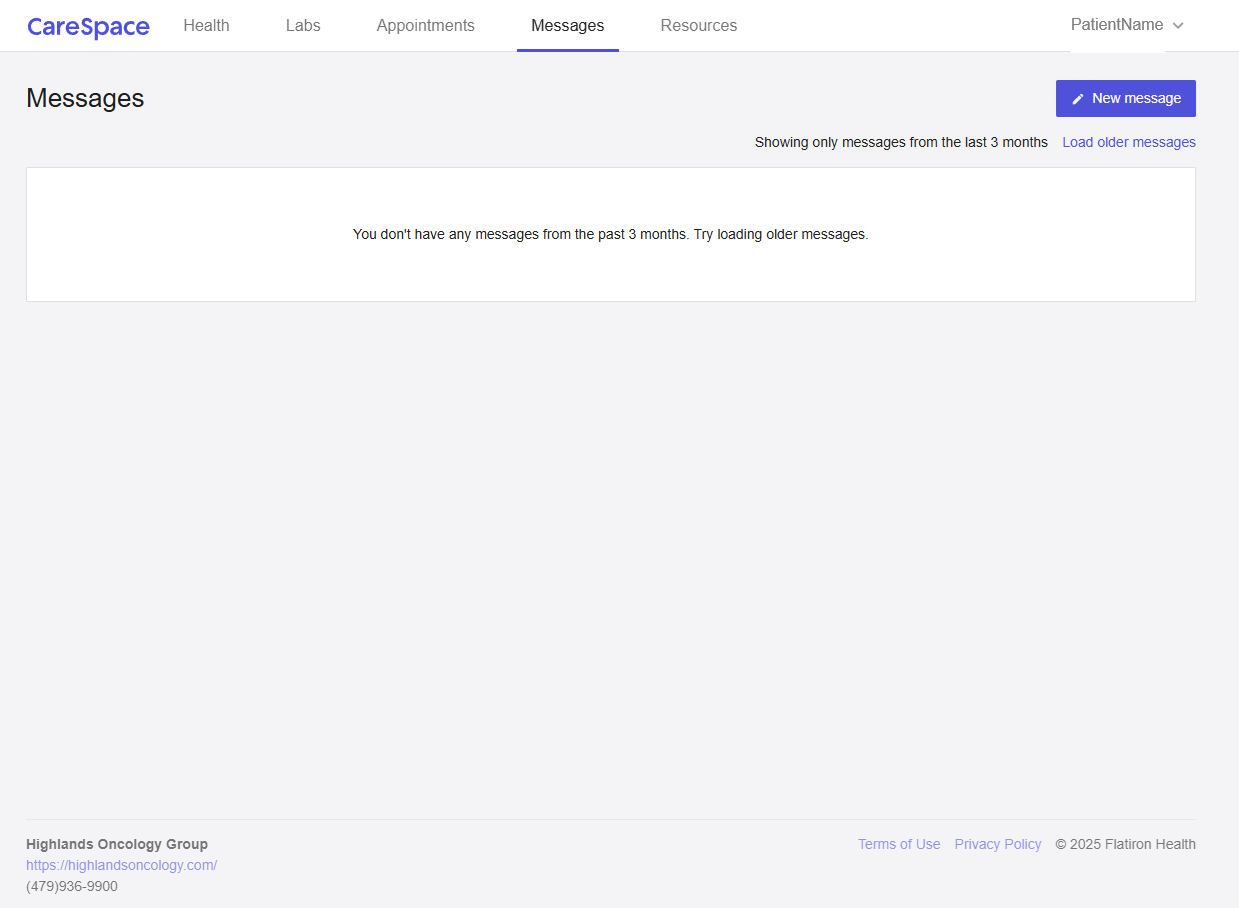
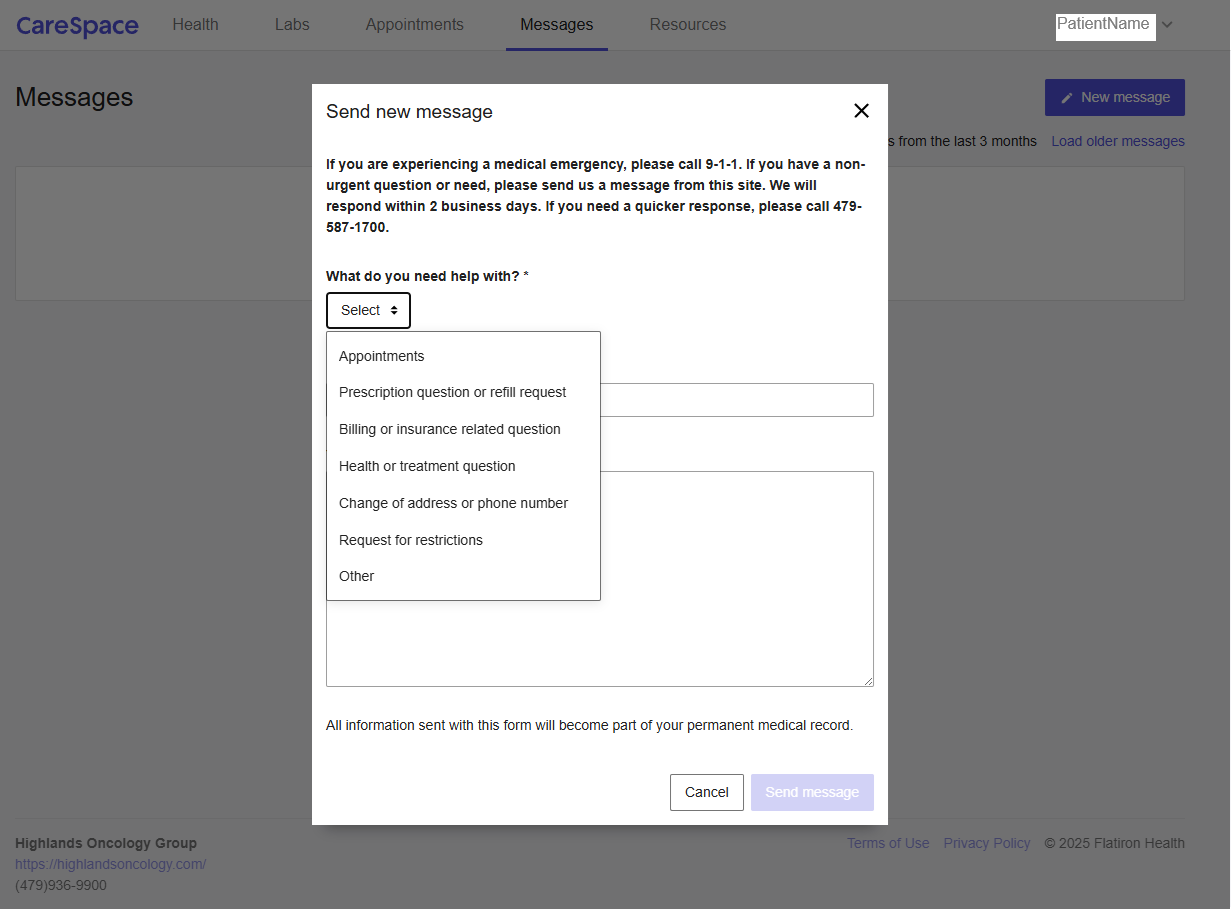
CareSpace allows you to send non-urgent secure messages to your doctor’s office at any time. Messages will be answered by staff during normal business hours. If you have an urgent request, please call the office directly. If you have a medical emergency, call 9-1-1 immediately.
- Click “New message” in the upper-right corner of the screen
- Select the message category
- Include a subject line and message for your provider team
- Click “send message”

Viewing Appointments
From the appointments tab, you can view upcoming office visits, lab services and more.
Viewing Lab Results
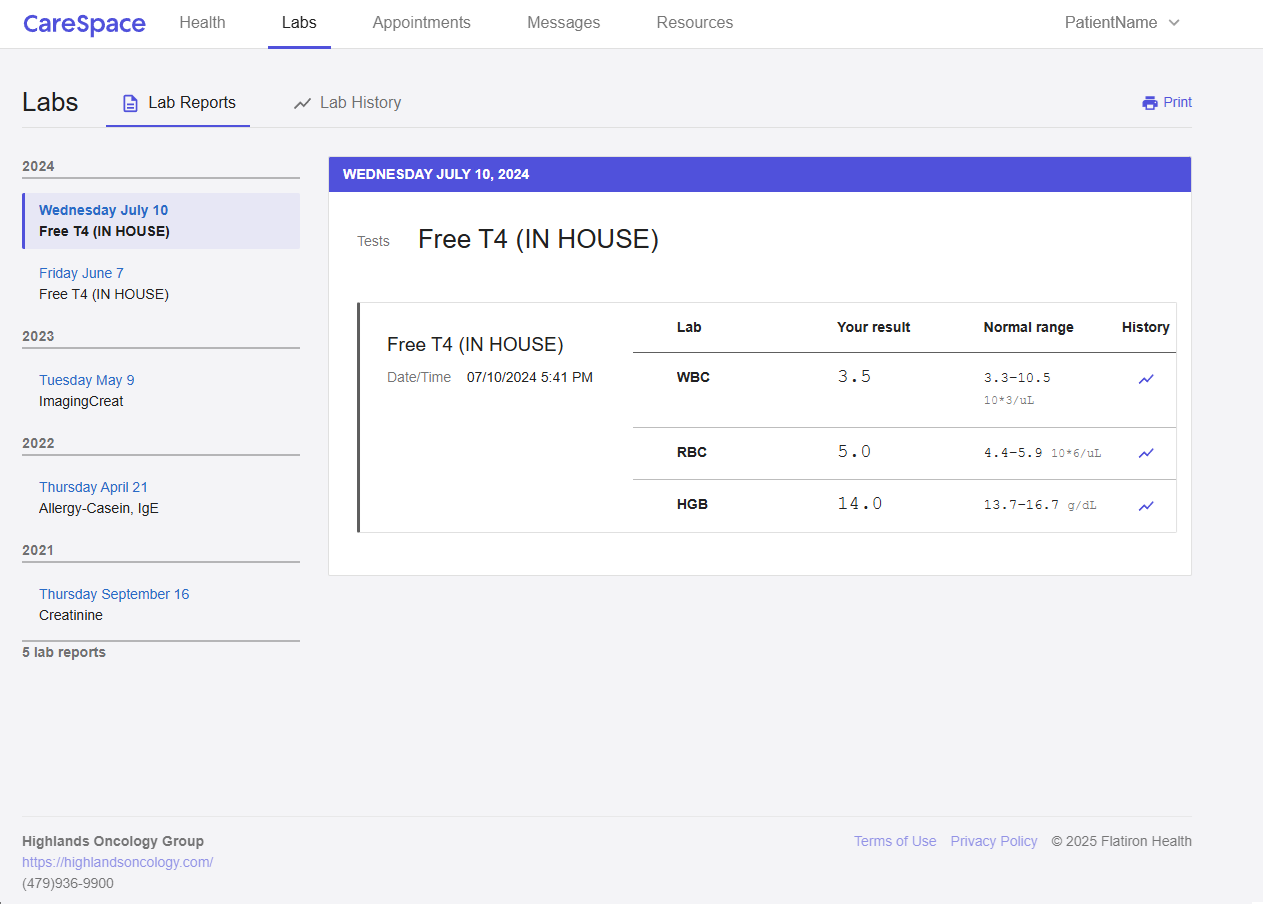
From the Labs tab, you can view lab reports as well as lab history.
Granting Access to Family or Caregivers
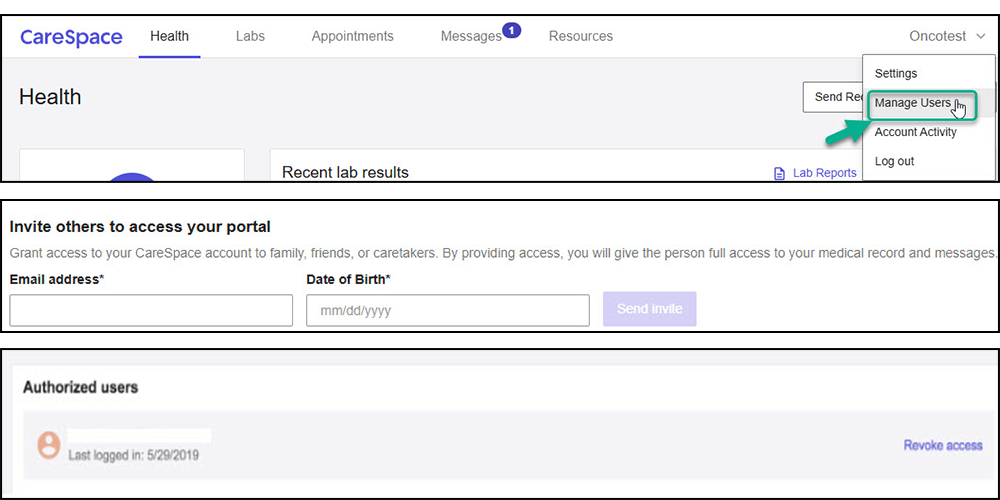
You can authorize someone you trust to view your CareSpace account and records. By granting access authorized users (friends, family, caregivers) will have full access to your patient portal, including all medical records and messages.
How to Change Your Password
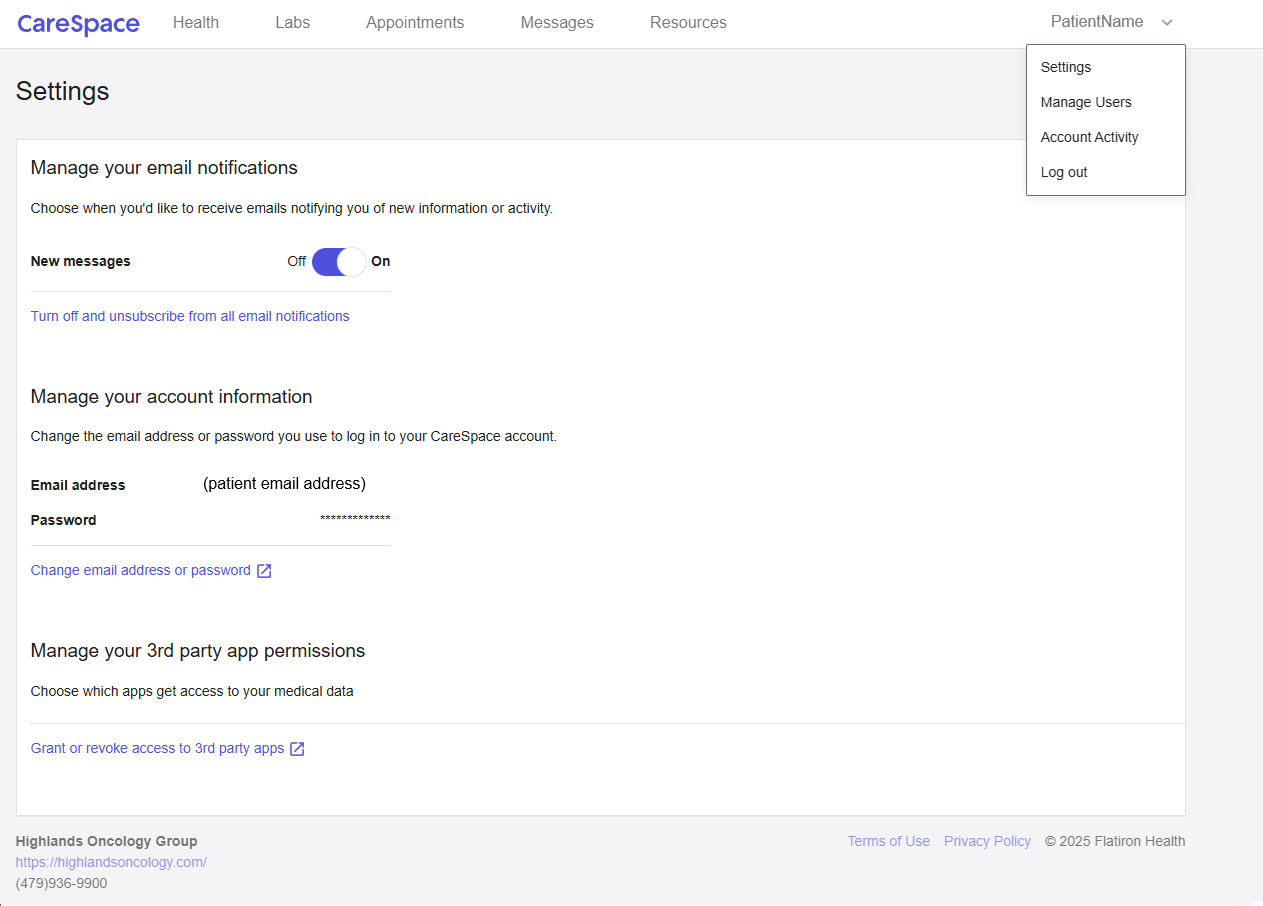
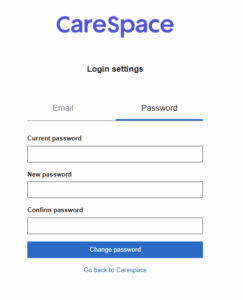
You can change your password by clicking on your name and selecting Settings. Then click on “Change email address or password”. Select the Password tab in the new window to change your password.

Helpful Resources
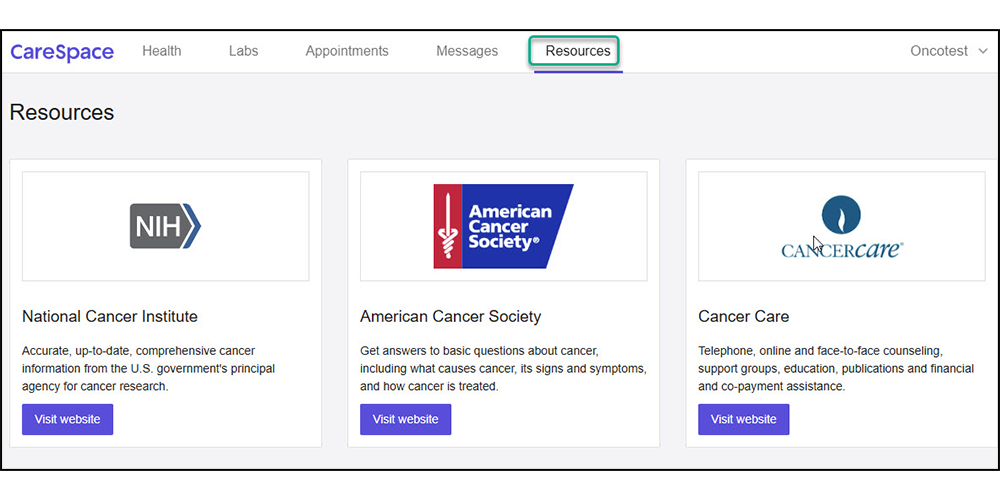
Visit the resources tab in CareSpace to access links to the National Cancer Institute, American Cancer Society, and CancerCare.
Frequently ASKED QUESTIONS
What if I didn’t receive the registration email?
Please call our office at (479) 587-1700 to confirm the email address on file. If your invitation link has expired, request a new registration link from your care team. Do not forward the original registration email—invitation links are invalid if sent to an alternate email address.
What are the password requirements?
Minimum 8 characters, with at least one uppercase letter, one lowercase letter, one number, and one special character.
What happens if I forgot my password or am having trouble logging into CareSpace?
Click “Forgot Password,” or ask a trusted caregiver for help.
Can I use CareSpace on my phone?
Yes, there is no app for CareSpace. Use Safari (iOS) or Chrome (Android) to log-in using your mobile browser.
How do I revoke access for a caregiver?
Go to Manage Users and click “Revoke access” next to the user’s email. Note: this action is permanent.

Still having trouble?
You can contact our office directly at (479) 587-1700 for help.